
Creating an account is usually the first step for anyone who wants to use the features available inside a mobile gaming platform. The process for 8W Register is intended to connect a new user with an individual account, allowing the user to sign in later without repeating the setup process.
Before registering, it is a good idea to visit 8WApp and review the current information available about the platform. Use your own details and keep the account credentials private after registration.
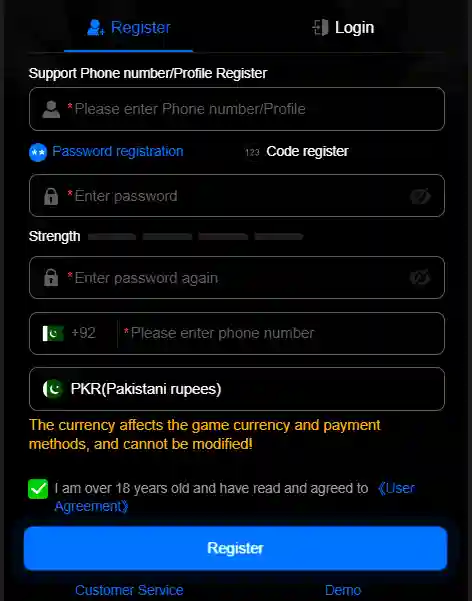
How to 8w Register a New Account
The exact layout can change when the application receives an update, but the basic account-creation process generally follows a few straightforward steps.
Step 1: Open the Registration Page
Launch the application or visit the relevant registration section. Look for an option such as Register, Sign Up, or Create Account.
Step 2: Enter Your Details
The registration form may ask for information such as a mobile number, username, password, or verification code.
Enter the information carefully. A small mistake in the phone number can make account recovery difficult later.
Step 3: Create a Strong Password
Choose a password that is not easy to guess. Avoid using your name, date of birth, phone number, or a simple sequence such as 123456.
Do not reuse the same password you use for important email, banking, or social media accounts.
Step 4: Complete Verification
If a verification code is sent to your mobile number, enter the correct code in the application. Never send an OTP or verification code to another person claiming to be customer support.
Step 5: Finish Registration
After the required information has been accepted, the account should be created. Save your username and password somewhere secure so that you can use them during your next login.
Account Security After Registration
Registration is only the beginning of account security. Keep your password private and avoid logging into your account on unfamiliar devices.
If you connect a payment method, carefully review the details before confirming a transaction. For JazzCash-related services, use the official JazzCash website rather than entering sensitive payment information on an unrelated website.
Common Registration Problems
Sometimes use may fail to register 8w game because of an incorrect verification code, an already-used phone number, a temporary server issue, or an outdated application.
If this happens, check your internet connection first. Make sure the application is updated and that the information you entered matches the requested format.
Avoid creating multiple accounts simply because the first attempt does not work. Repeated attempts can sometimes create additional verification problems.
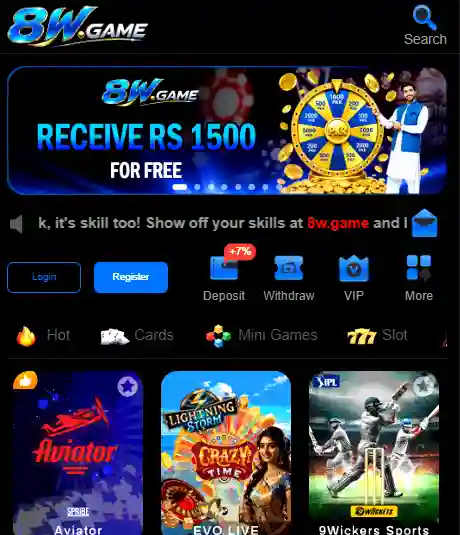
A Practical Approach for New Users
Take a few minutes to understand the account interface before depositing money or using any paid feature. Check the available rules, transaction conditions, and withdrawal requirements rather than relying only on promotional claims.
Online gaming involves financial risk, so never deposit money that you cannot afford to lose.
Final Thoughts
The 8W Register process should be approached as an account-security step rather than simply a way to access the application. Use accurate information, create a strong password, protect verification codes, and review the platform’s current terms before using any financial features.